
AWS Certified AI Practitioner(38) - ML Governance & Productivity
Amazon SageMaker – ML Governance & Productivity (Exam-friendly Guide)
This rewrite keeps things simple, adds missing context, and highlights what typically shows up on AWS exams.
Why “ML Governance” matters
Once a model is in production, you need to know what it does, who can touch it, how it’s behaving, and how it changes over time. SageMaker gives you a set of tools to do exactly that.
Model documentation & visibility
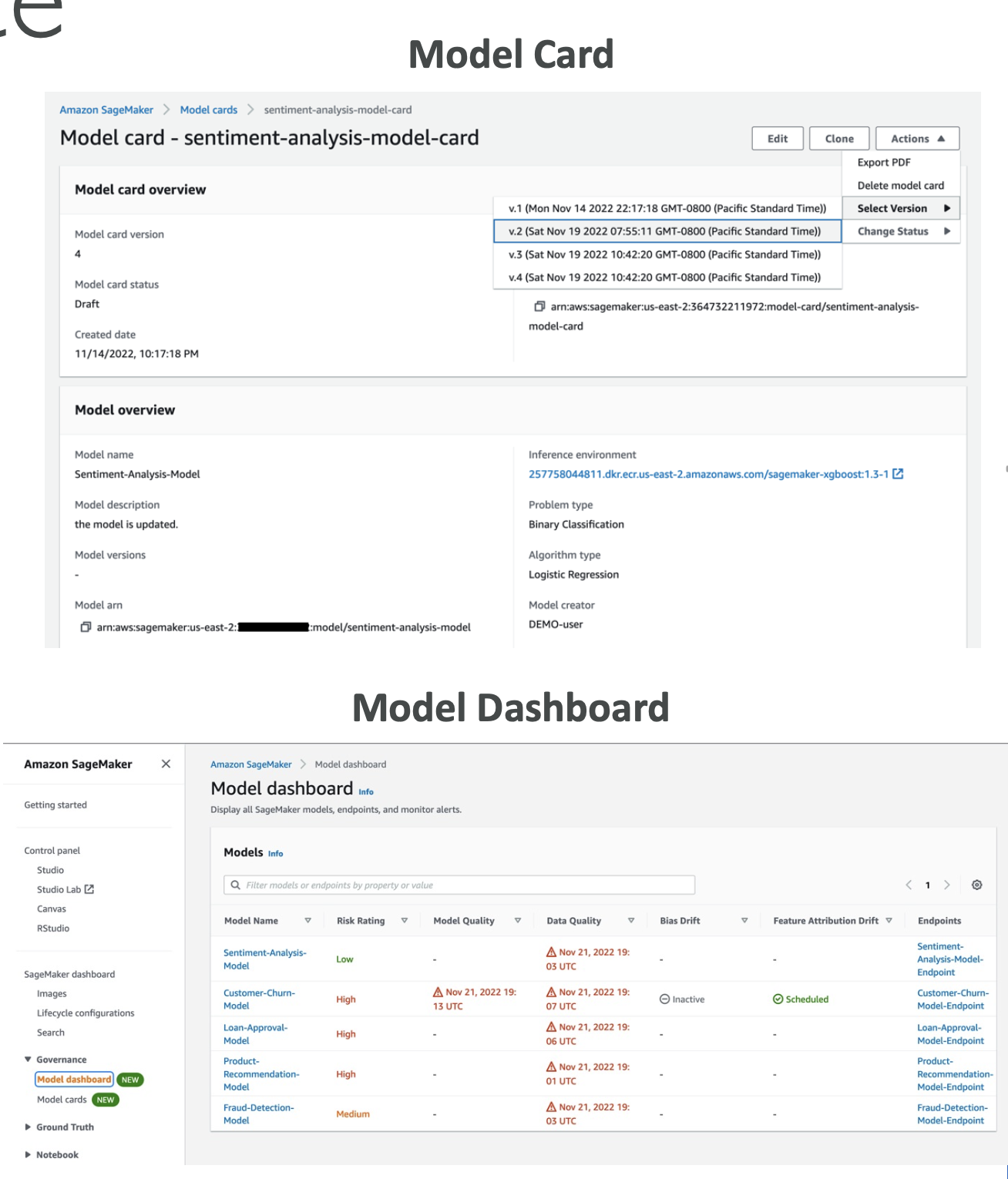
SageMaker Model Cards
- A living document for each model: intended use, risk rating, training data & method, evaluation metrics, and owners.
- Think of it as “README + audit sheet” for compliance and handoffs.
Exam tip: If a question mentions “documenting model intent, risks, and lineage for auditors”, the answer is Model Cards.
SageMaker Model Dashboard
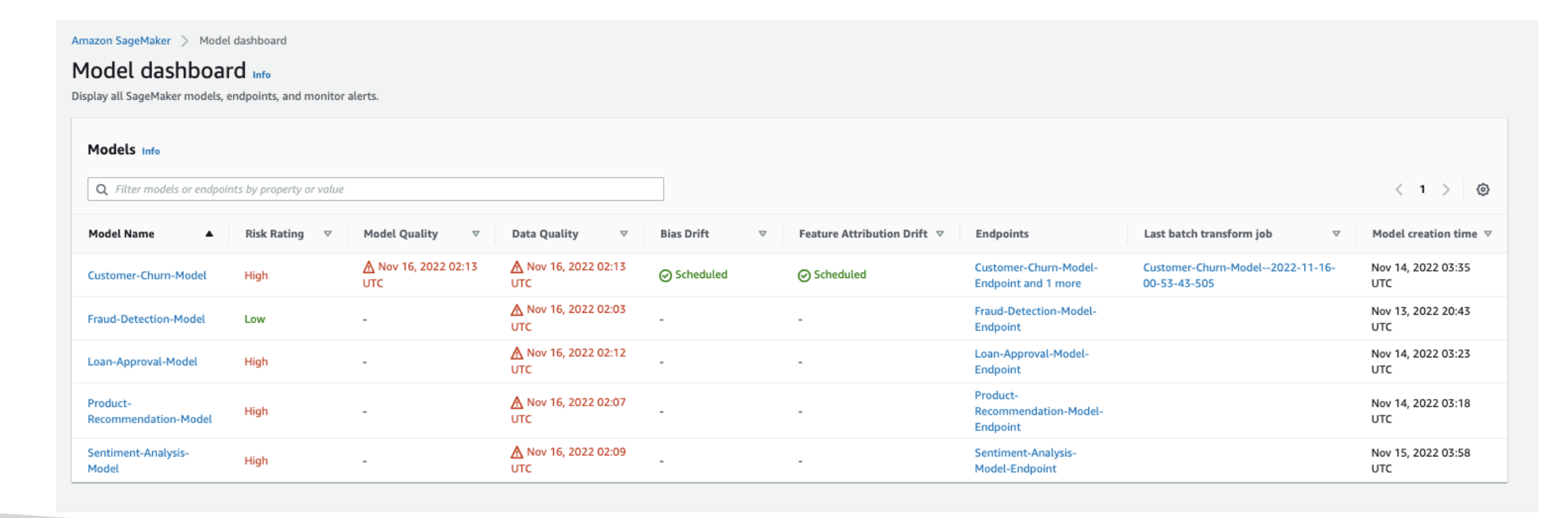
- A central place to view, search, and explore every model across accounts/teams (from the SageMaker console).
- Lets you track which models are deployed to endpoints.
- Surfaces warnings when thresholds are breached (data quality, model quality, bias, explainability drift).
Use it for: “Which models are live?” “Which ones are failing data-quality checks?”
SageMaker Role Manager
- Define least-privilege roles by persona (e.g., data scientist, MLOps engineer).
- Speeds up secure access setup for Studio, training jobs, endpoints, registries, etc.
Exam tip: If you see “quickly provision SageMaker permissions for different job functions”, pick Role Manager.
Model quality & lifecycle
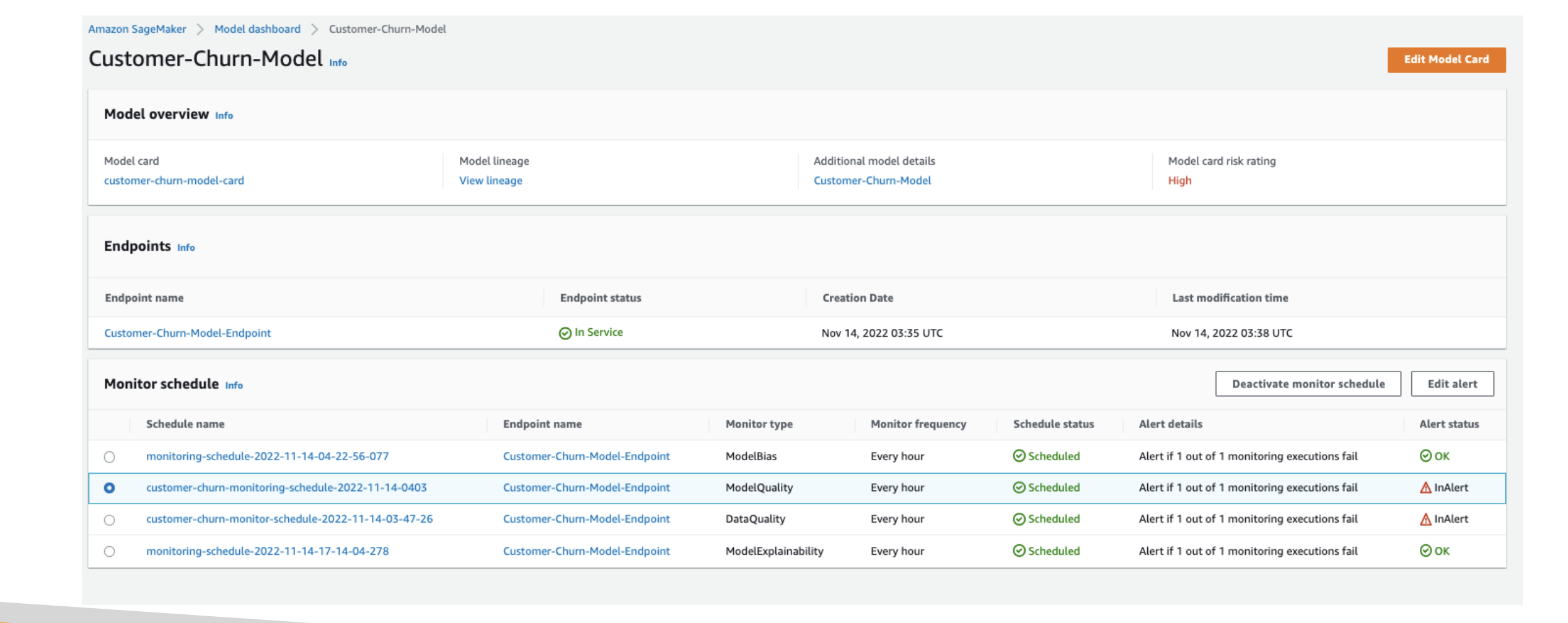
SageMaker Model Monitor
- Continuously or on a schedule, checks data drift (inputs no longer look like training data), model drift (performance drops), bias/explainability drift, and data quality.
- Sends alerts so you can fix pipelines or retrain.
Example: A loan-approval model starts approving borrowers below the target credit score—Model Monitor flags drift → you retrain with recent data.
Exam tip: Detecting drift in production → Model Monitor.
SageMaker Model Registry
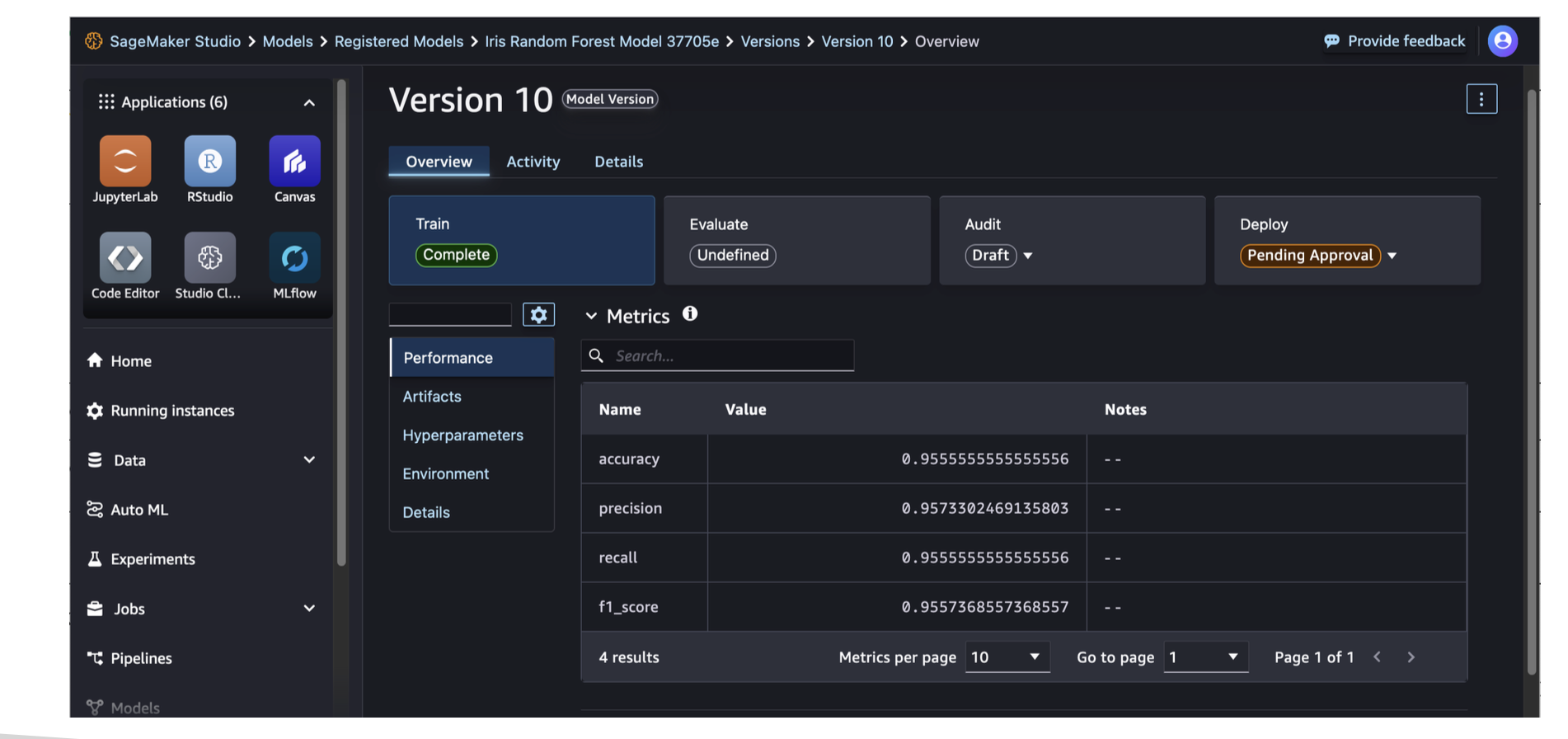
- Central repo to catalog, version, approve, deploy, and share models.
- Supports approval states (e.g., Pending, Approved, Rejected), metadata, and automated deployments from the registry.
Exam tip: Model versioning + approval workflow + promotion to prod → Model Registry.
CI/CD for ML
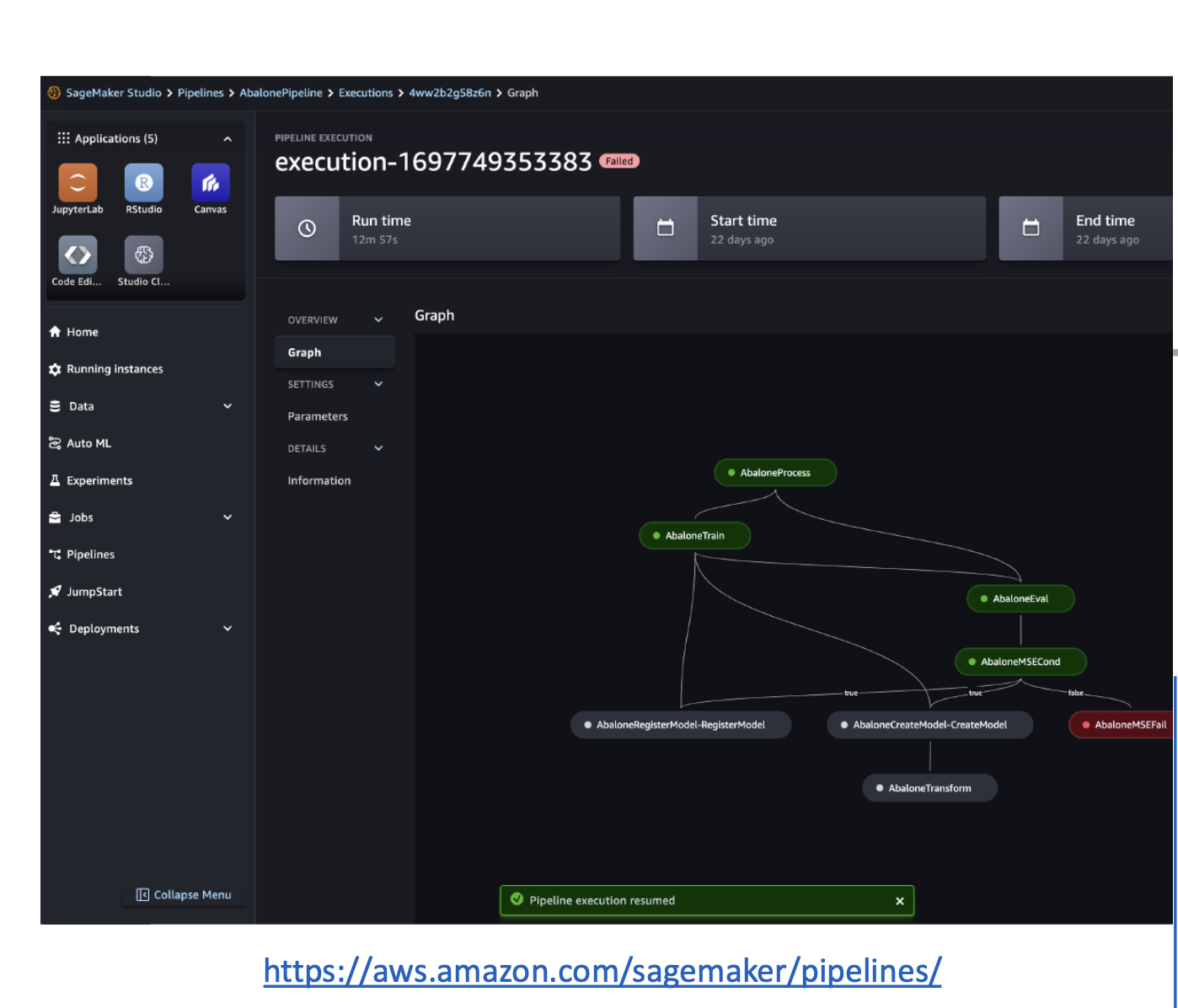
SageMaker Pipelines
Automates the path from data to deployment (MLOps). A pipeline is built from Steps:
- Processing – data prep/feature engineering (Data Wrangler/processing jobs).
- Training – train a model.
- Tuning – hyperparameter optimization (HPO).
- AutoML – train automatically with Autopilot.
- Model – create/register a SageMaker Model (often into Model Registry).
- ClarifyCheck – bias/explainability checks vs baselines.
- QualityCheck – data/model quality checks vs baselines.
Why Pipelines: Reproducible, faster iterations, fewer manual errors, and easy promotion Dev → Staging → Prod.
Exam tip: “Automate build/train/test/deploy and attach gates for quality checks” → Pipelines (+ ClarifyCheck/QualityCheck steps).
Build faster with prebuilt models & no-code tools
SageMaker JumpStart
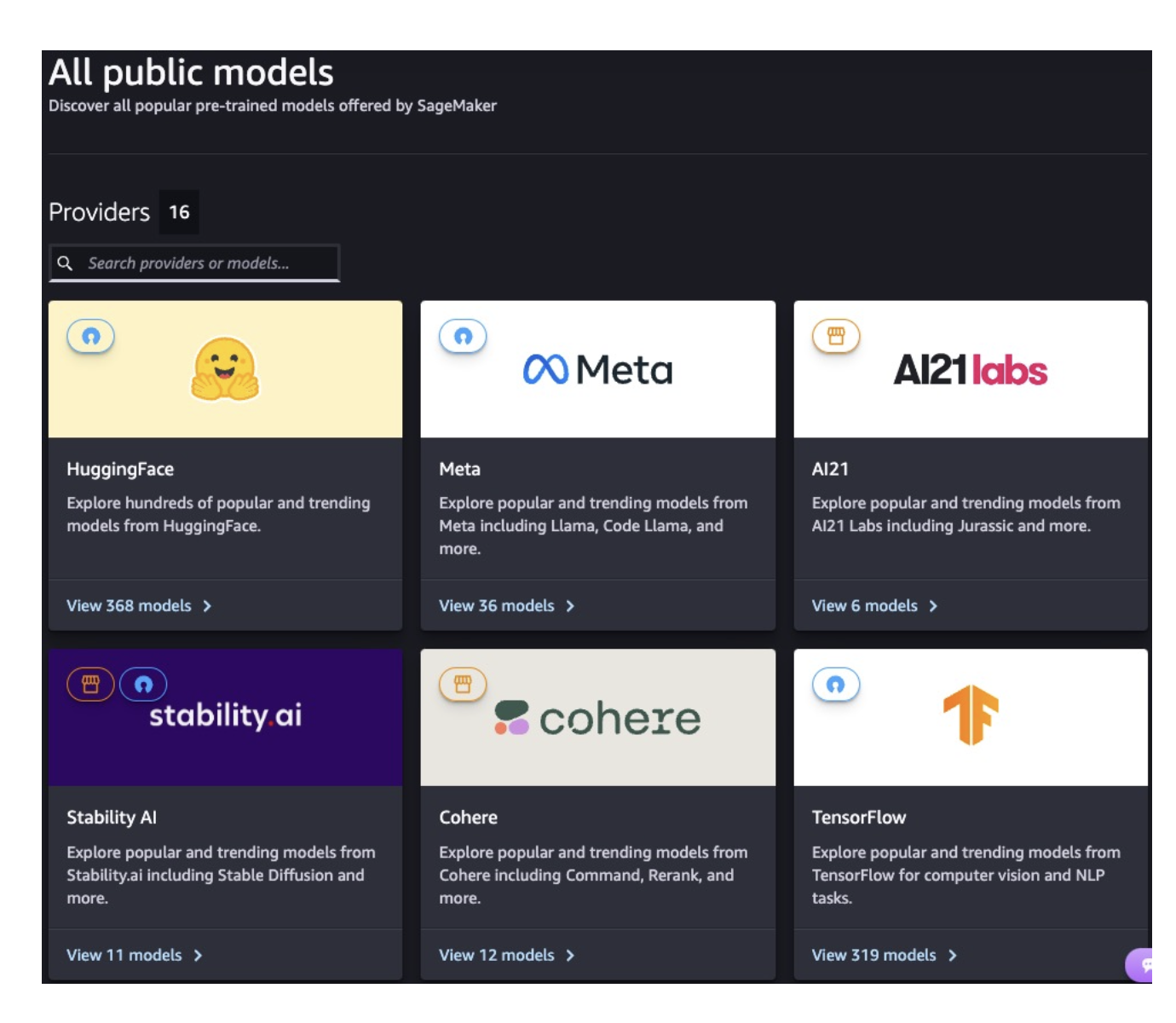
- An ML Hub of pre-trained foundation models (FMs) and task models (CV/NLP) from providers like Hugging Face, Meta, Stability AI, Databricks, etc.
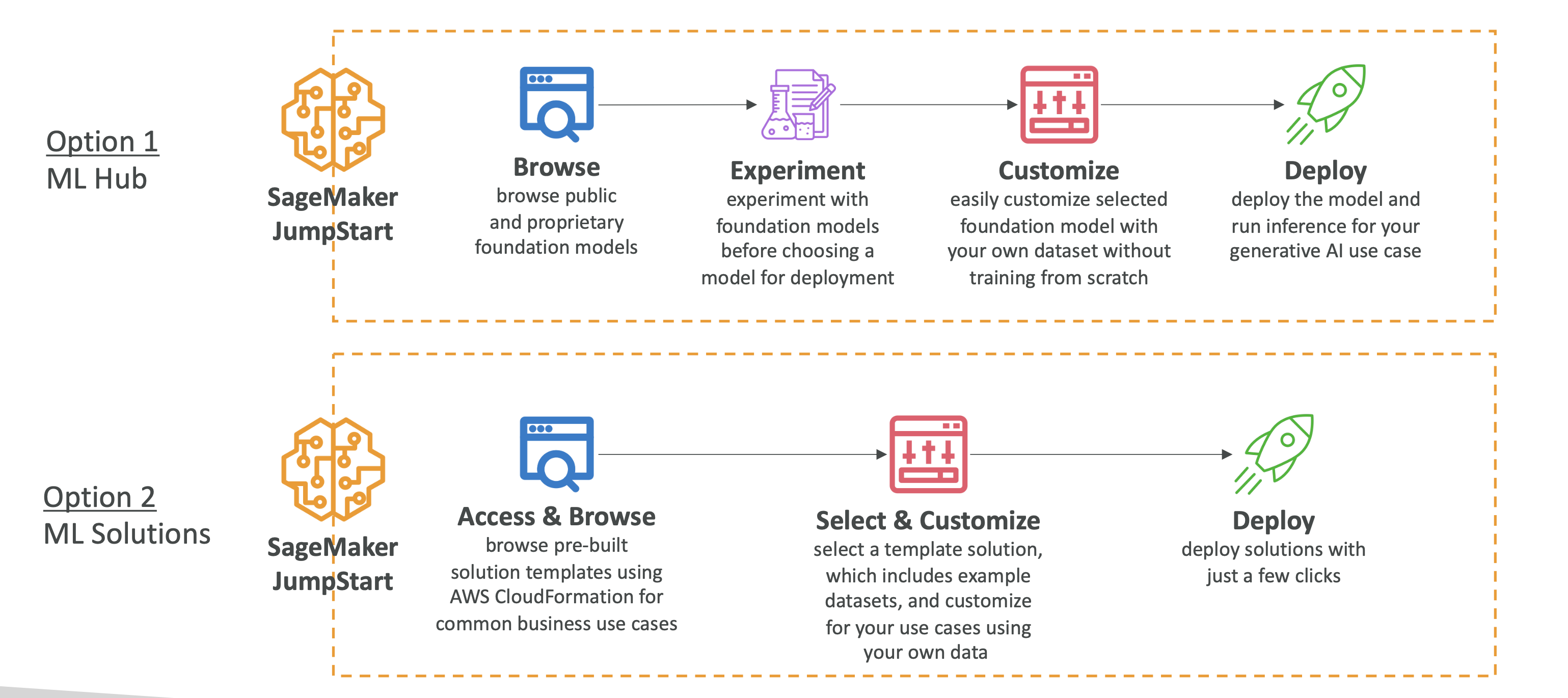
- You can fine-tune on your data, then deploy on SageMaker with full control (instance types, autoscaling, serverless, etc.).
- Also includes prebuilt solutions (demand forecasting, fraud detection, credit scoring, computer vision).
When to use: You need a strong baseline fast, or a packaged solution to customize.
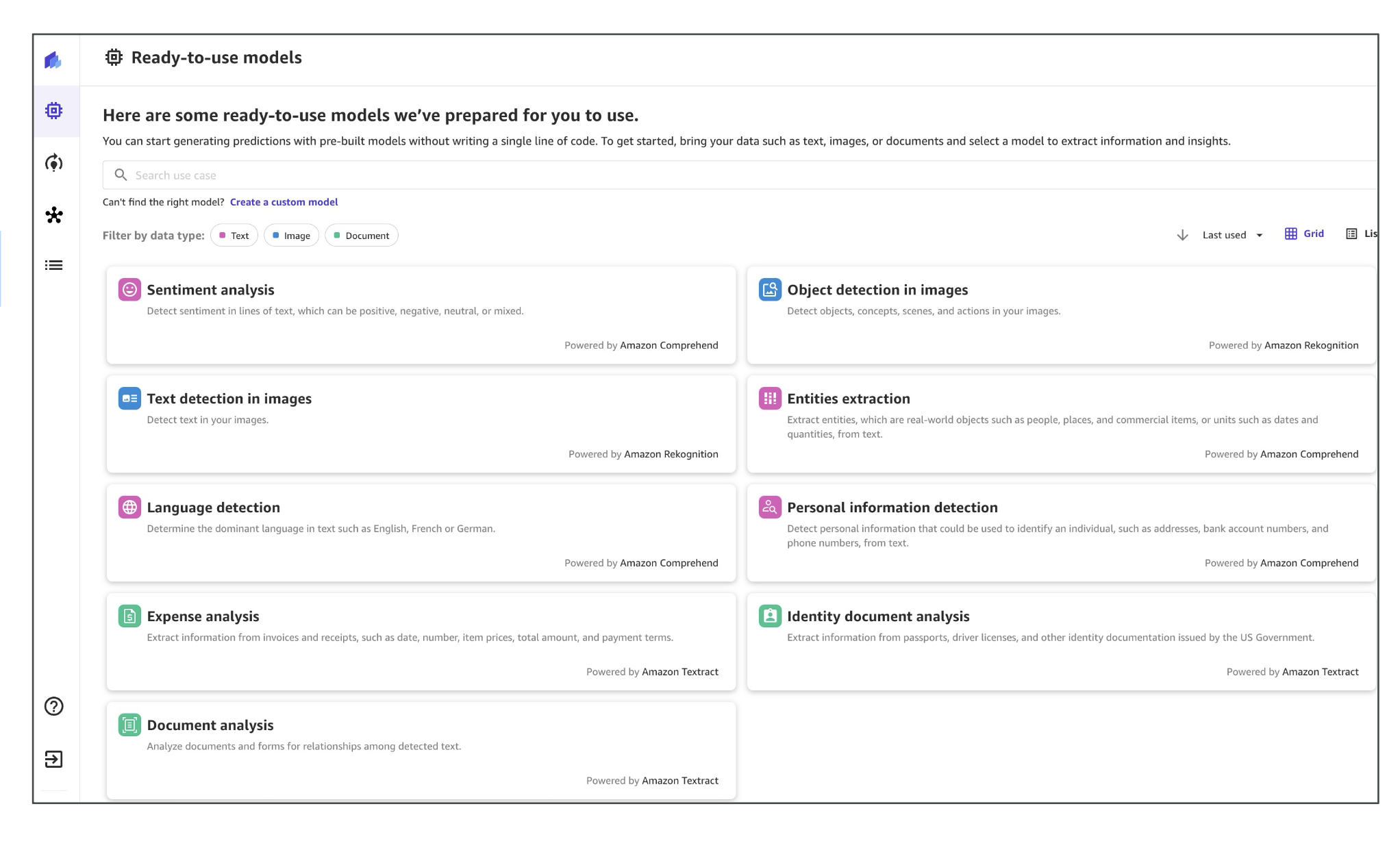
SageMaker Canvas (No-code)
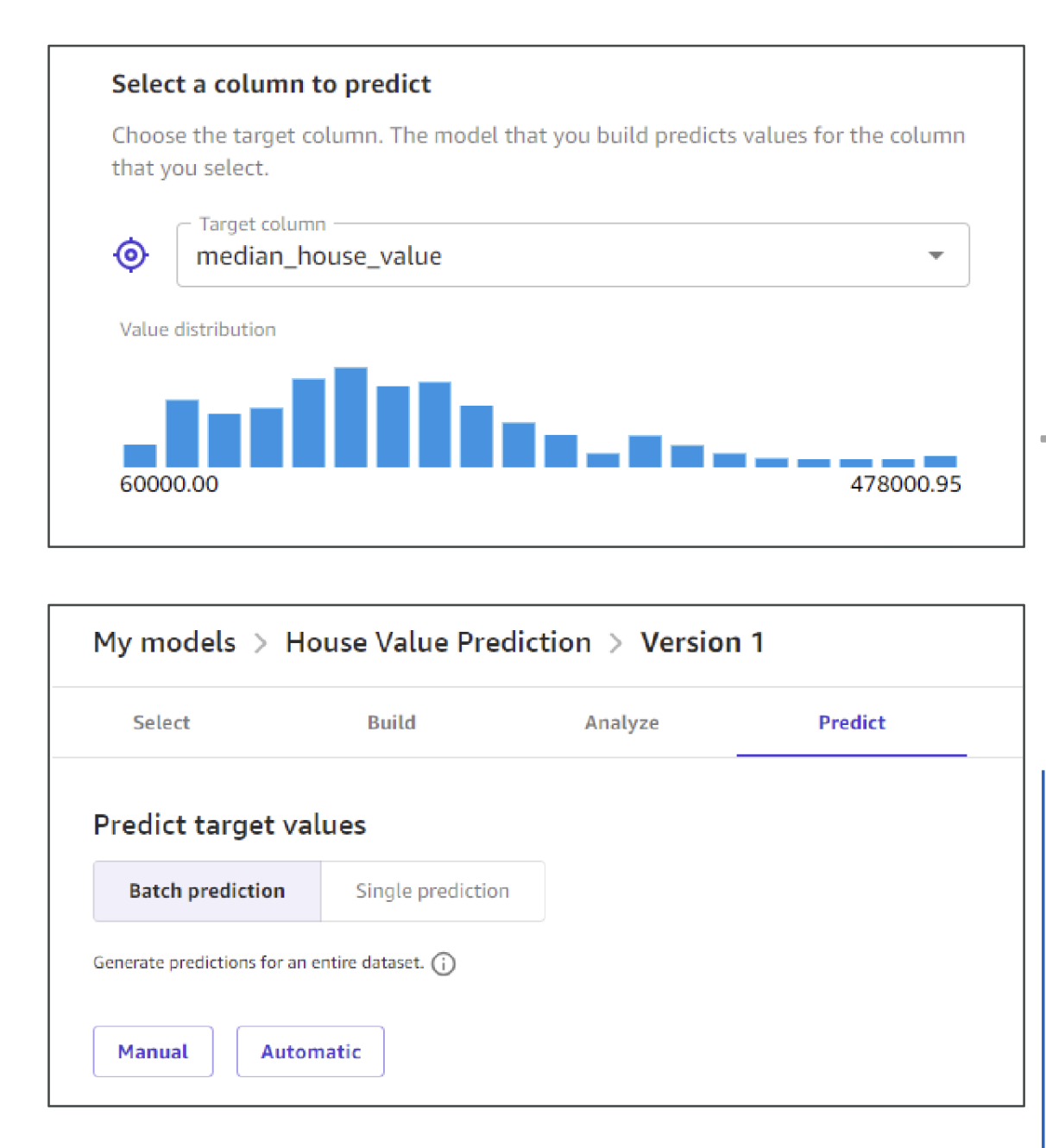
- Visual interface to build models (classification, regression, forecasting) without writing code.
- Can use Autopilot (AutoML) under the hood.
- Integrates with Data Wrangler for prep and can pull ready-to-use models from Bedrock/JumpStart.
- Ready-to-use models: Comprehend (sentiment, entities), Rekognition (vision), Textract (document OCR).
Use it for: Analysts and business users who want predictions without Python.
Exam tip: “No-code model building for business teams” → Canvas.
Responsible AI & explainability
SageMaker Clarify
- Bias detection (dataset & model), explainability (global + per-prediction), and foundation-model evaluations (e.g., tone, helpfulness).
- Works both pre-deployment (validate) and post-deployment (debug).
Typical questions:
“Why was this loan denied?” → use Clarify SHAP-based explanations to rank influential features.
“Detect bias in a dataset/model” → Clarify with statistical metrics.
Bias types to recognize (human context): - Sampling bias – training data isn’t representative. - Measurement bias – flawed or skewed instrumentation/labels. - Observer bias – human annotators influence labels. - Confirmation bias – interpreting data to fit expectations.
Human-in-the-loop (HITL)
SageMaker Ground Truth (and Ground Truth Plus)
- Human feedback for ML: high-quality data labeling, model evaluation, and preference alignment.
- Reviewers: your employees, vetted vendors, or Amazon Mechanical Turk.
- RLHF (Reinforcement Learning from Human Feedback) support: human preferences contribute to a reward signal for model alignment.
- Plus adds managed, expert labeling teams and project management.
Exam tip: “Collect labeled data at scale with human reviewers” → Ground Truth (or Ground Truth Plus if fully managed).
Open-source tracking
MLflow on SageMaker
- Launch MLflow Tracking Servers from Studio to track experiments/runs, metrics, and artifacts.
- Fully integrated with SageMaker resources.
When to use: Your team already uses MLflow but wants AWS-managed infra around it.
Extra features that show up on exams
Network Isolation mode
Run training/inference containers without any outbound internet (no S3/VPC/Internet). Use this for strict data-exfiltration controls.
Keyword: “No egress, fully isolated job”.DeepAR (built-in algorithm) For time-series forecasting, based on RNNs.
Keyword match: “forecast time series“ → DeepAR.
One-page cheat sheet (what to pick when)
- Document model purpose & risks → Model Cards
- See/search all models, find violations → Model Dashboard
- Detect drift/quality issues in prod → Model Monitor
- Versioning, approvals, promote to prod → Model Registry
- Automate build→train→test→deploy → Pipelines (+Clarify/Quality checks)
- Pretrained models & packaged solutions → JumpStart
- No-code model building → Canvas (uses Autopilot, integrates with Bedrock/JumpStart)
- Bias & explainability → Clarify
- Human labeling/evaluation/RLHF → Ground Truth / Ground Truth Plus
- Strict security (no outbound) → Network Isolation
- Time-series forecasting → DeepAR
Mini scenario practice (exam-style)
“Auditors request one place to see each model’s purpose, training details, and risk.”
→ Model Cards“Alert when live model inputs diverge from training data distribution.”
→ Model Monitor (data drift)“Promote a tested model from Staging to Prod with an approval gate.”
→ Model Registry + Pipelines“Business analysts want to build predictions with no code.”
→ Canvas (Autopilot)“Fine-tune a foundation model and deploy on SageMaker.”
→ JumpStart“Ensure training job cannot reach the internet or S3.”
→ Network Isolation mode“Forecast sales for the next 30 days.”
→ DeepAR